

Hey everyone, I'm a 45+ year old CoD veteran with over 20 years grinding core multiplayer across every era of the franchise — from the original Modern Warfare days to today's fast-paced titles like Black Ops 7. I've seen the meta shift countless times, dealt with SBMM frustration, and racked up more wins than I can count.
It's not just raw aim
But the real edge? It's not just raw aim — it's the fundamentals that separate consistent slayers from the lobby fodder.
Below I share hard-earned lessons to help you improve without the BS. Here's a structured guide based on what’s kept me competitive into my 40s: mindset, settings, and game awareness. Plus a few bonus tips I've picked up along the way.

1. The Mental Game: Attitude Is Everything
Call of Duty multiplayer is as much a mental battle as it is a shooter. The biggest difference between average players and those who climb the leaderboards is how they handle the grind.
- Accept defeat gracefully. You're going to lose — a lot. That's just CoD. As long as the lobby is fair (no obvious cheaters), it's part of the game. Tilt-raging after a bad match only hurts your next one. Stay calm, analyze what went wrong, and queue up again.
- Ignore the trash talk. The "ez" kids spamming chat after one lucky win usually dip out before the rematch — because they know the tide can turn. Don't let toxic lobbies get in your head. Mute, stay focused, and let your gameplay do the talking.
- Treat every death as a lesson....or ok, may be not, there will be too much ahah...but ask yourself: Was I out-positioned? Did I miss easy shots? Was my movement predictable? Over time, this mindset turns losses into progress.
A cool head is the foundation. Everything else builds on it !
2. Optimize Your Settings (in and out) – Comfort is King
You can't slay if your game feels clunky. The single best way to dial in your setup ? Boot up private matches against real bots and grind until everything feels perfect. Play hundreds of bot matches tweaking graphics, controls, sensitivity, and visuals. It's boring, but it's like mandatory for you to perfect your game. I can spend a few hours (upon a new CoD release) before starting my very first TDM game in Call of, just by tuning everything.
And by tuning I'm talking about "in-game" settings (graphics, UI, sounds...), as well as "out" of the game (ie. hardware ones).
In-game settings
Here are some specific recommendations that will help :
- Mini-map shape: Go square. The square mini-map gives you slightly more horizontal coverage than the default circle (the width of the square equals the circle's diameter). It's a small edge that adds up over a session.
- Center dot: Turn it on and experiment with size/opacity. A subtle dot helps with hip-fire and centering, especially on larger screens. As you build muscle memory, you'll rely on it less.
your number of frames per second should always be lower (or equal) to your monitor frequency
- Graphics and performance (PC) : This one could be a full article by itself (probably will be). You can check Crimsix channel to see what he used to do regarding "color" choices and better detect ennemies. But the main idea here is to strip out unnecessary effects (water reflections, volumetric fog, excessive particle effects) to maximize FPS. Back in the days, when playing Quake, we used to remove the textures ahah...But now I'm running on a 4K monitor and would like to keep stuff still visually appealing, as long as my baseline is rock-solid at 120+ FPS minimum — you then need a 120Hz (or higher) monitor. Keep in mind that it is useless to send more FPS than your monitor can display, hence your FPS number should always be lower (or equal) to your monitor frequency (otherwise you will get tearing on your screen, unless using some vertical sync - which is going to induce a slight latency). But there are tons of YouTube guides for the current title's optimal settings (depending on your system, console or PC), but the rule is simple: prioritize frame rate over eye candy for competitive play.
- Field of View : I like to max it (120) for 2 reasons : 1) you see 'more' on the screen and so you get more intel, and 2) the recoil of your weapon will feel less 'shaky'. Try it for yourself. The ennemy seems a bit located further away, but with practice it shouldn't be a problem.
Find what feels comfy for you. There's no one-size-fits-all — just relentless testing.
Here are my own personal settings :
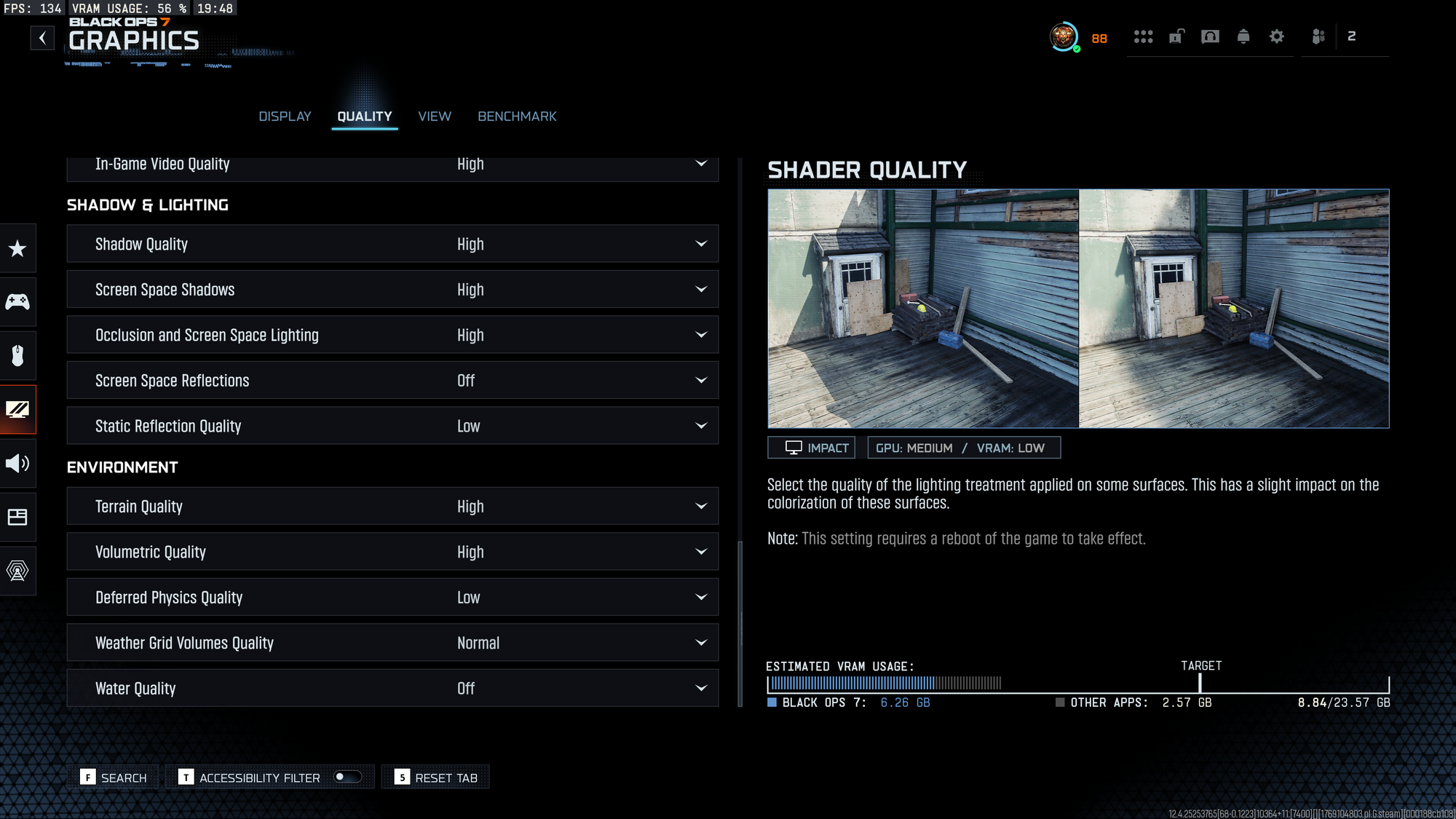
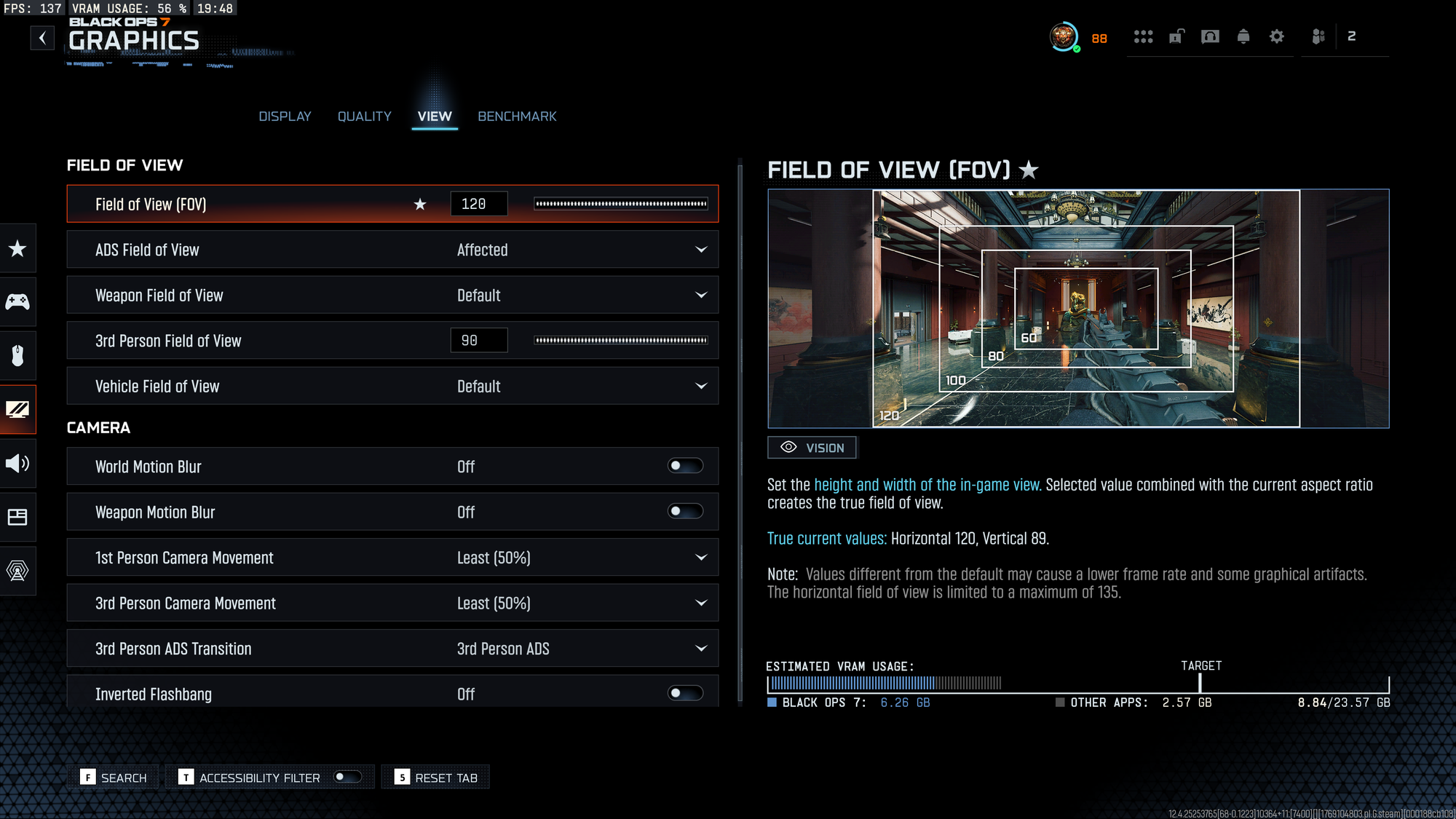
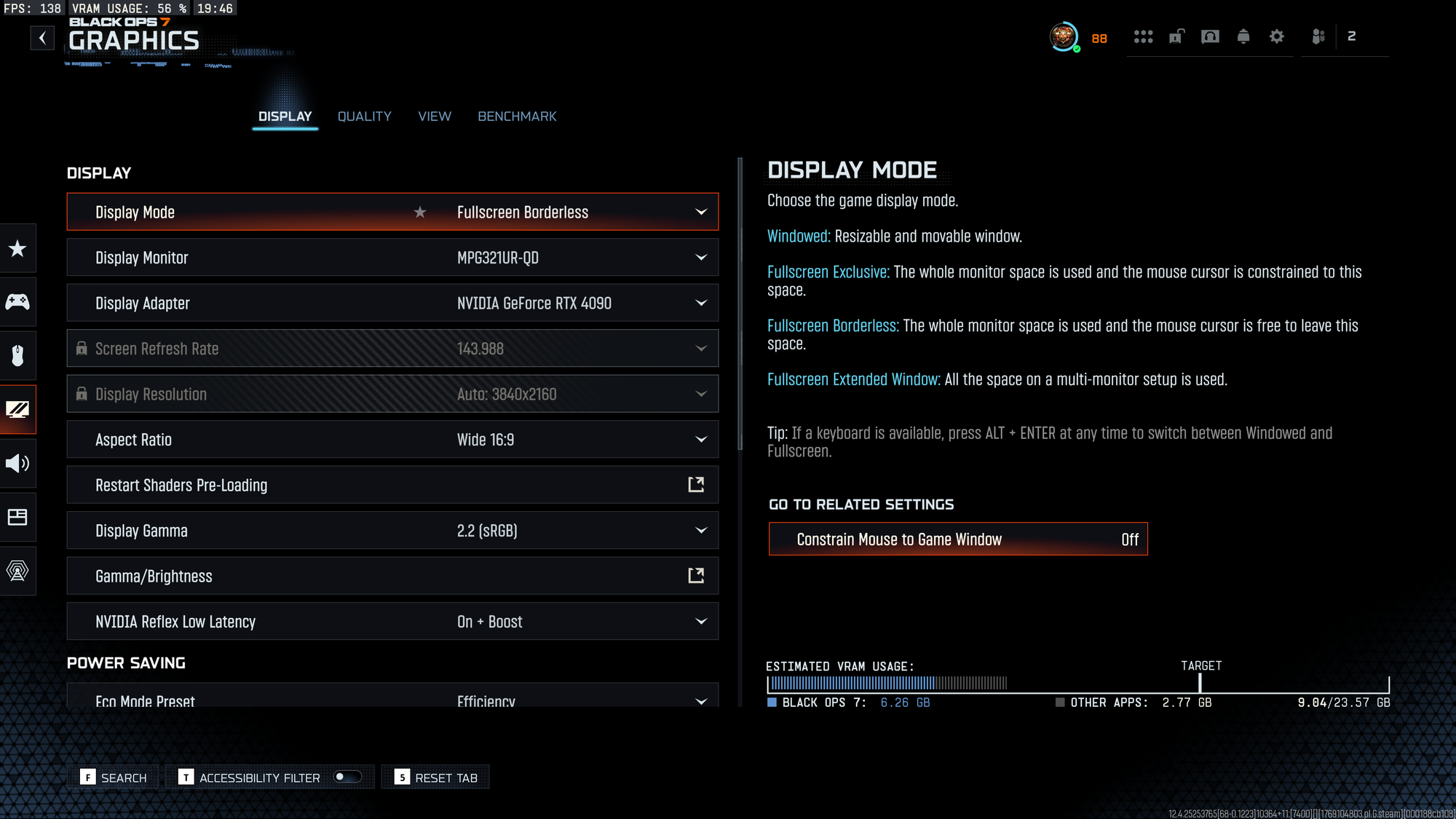
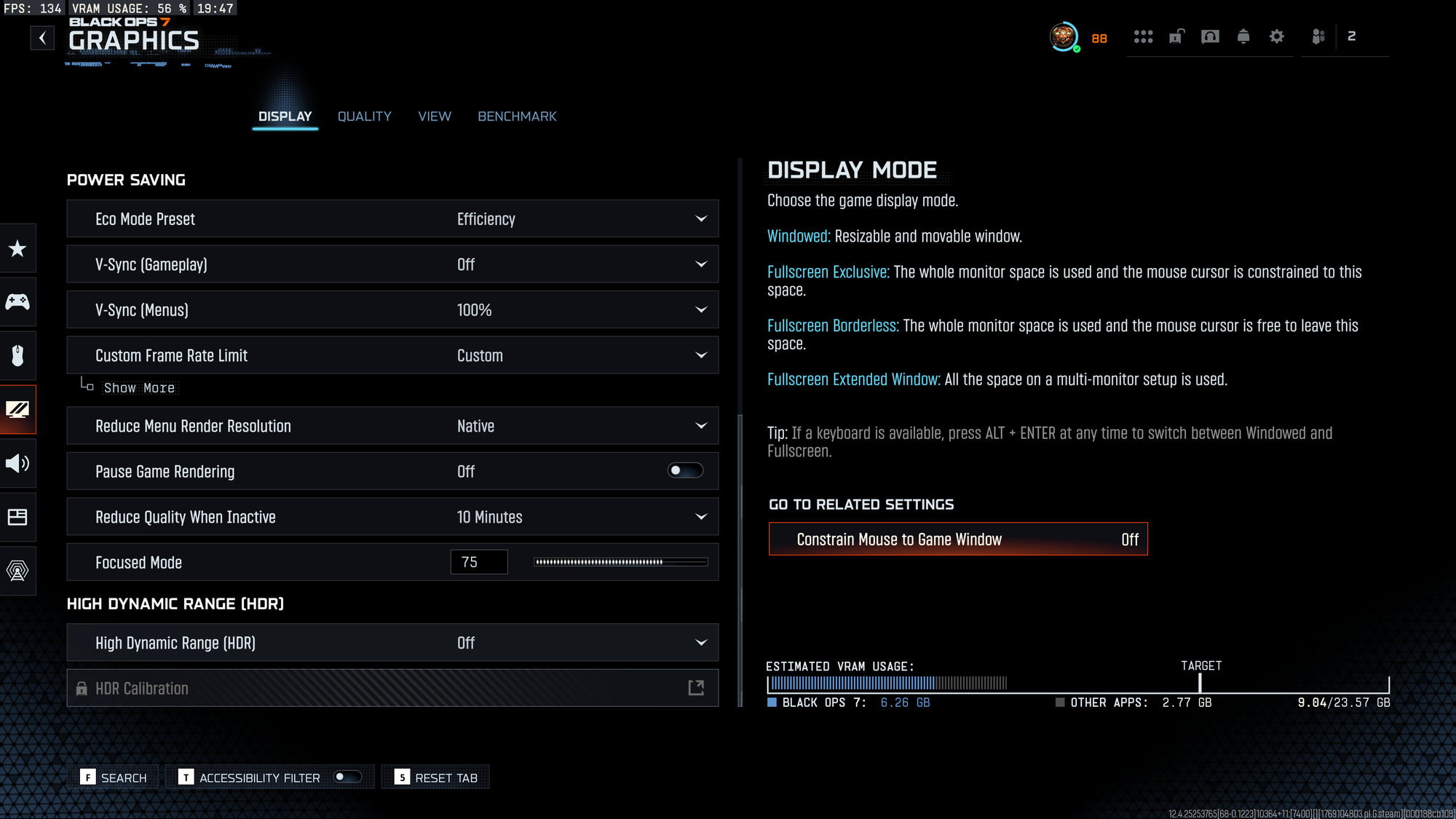
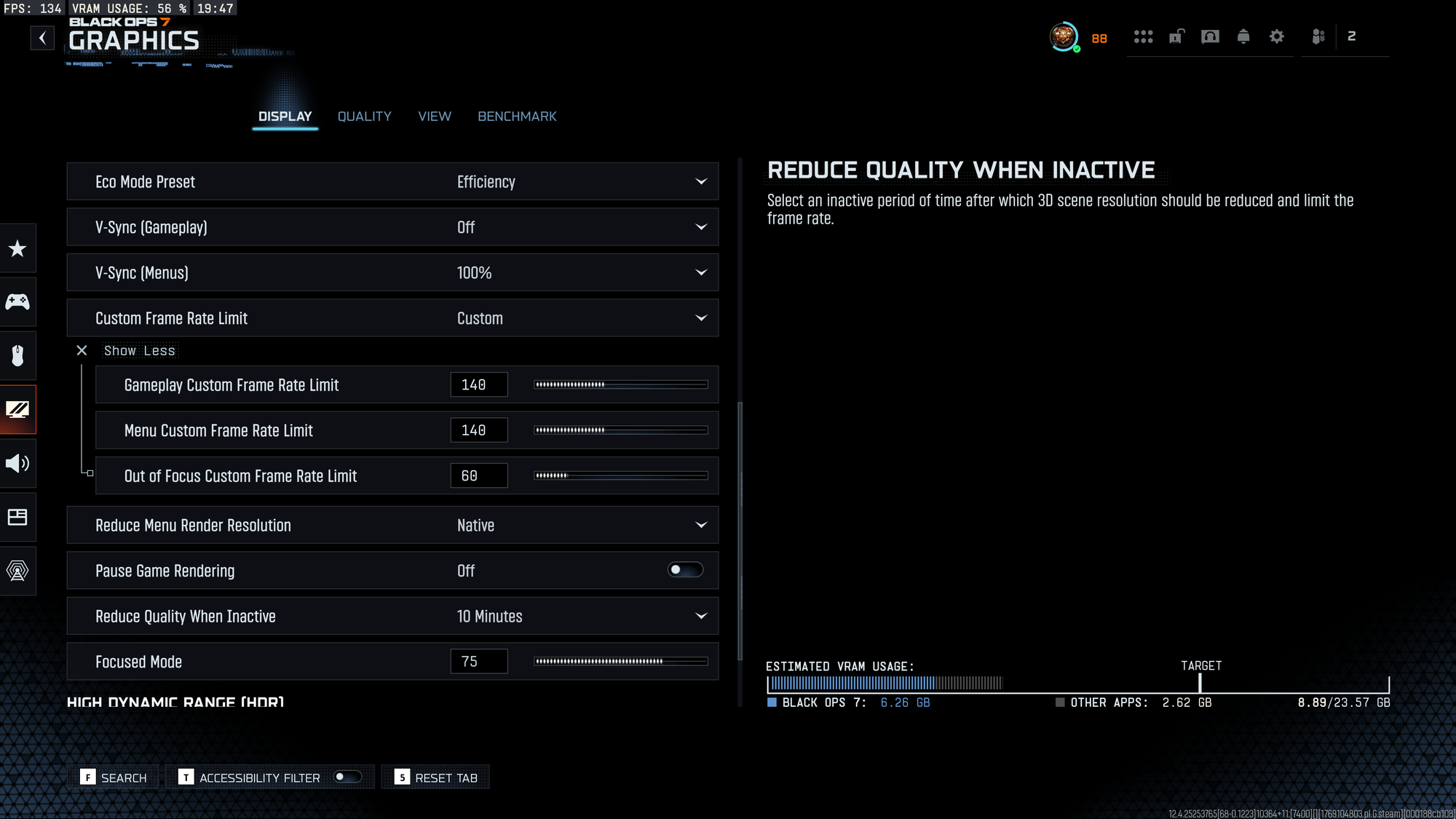
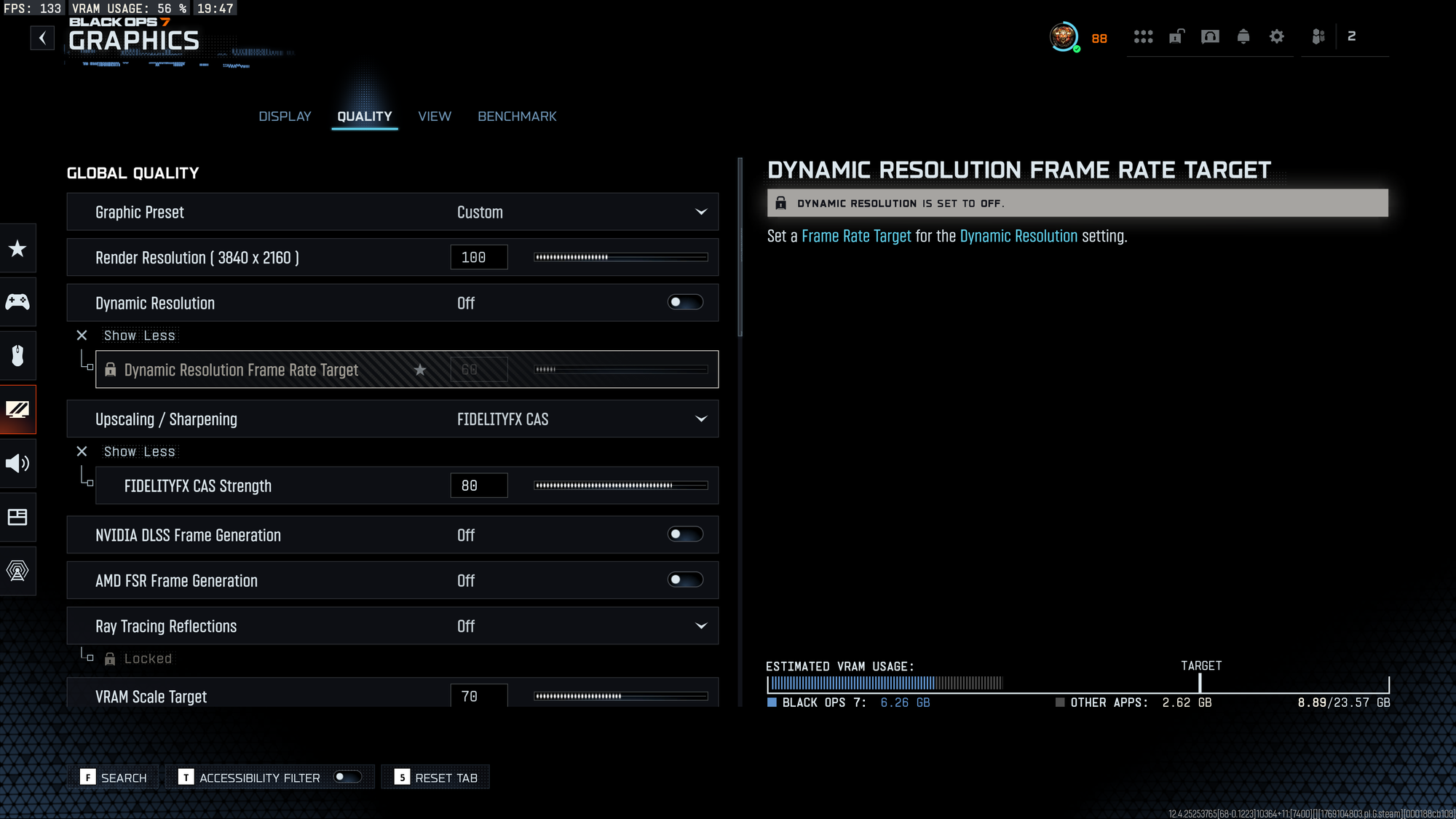
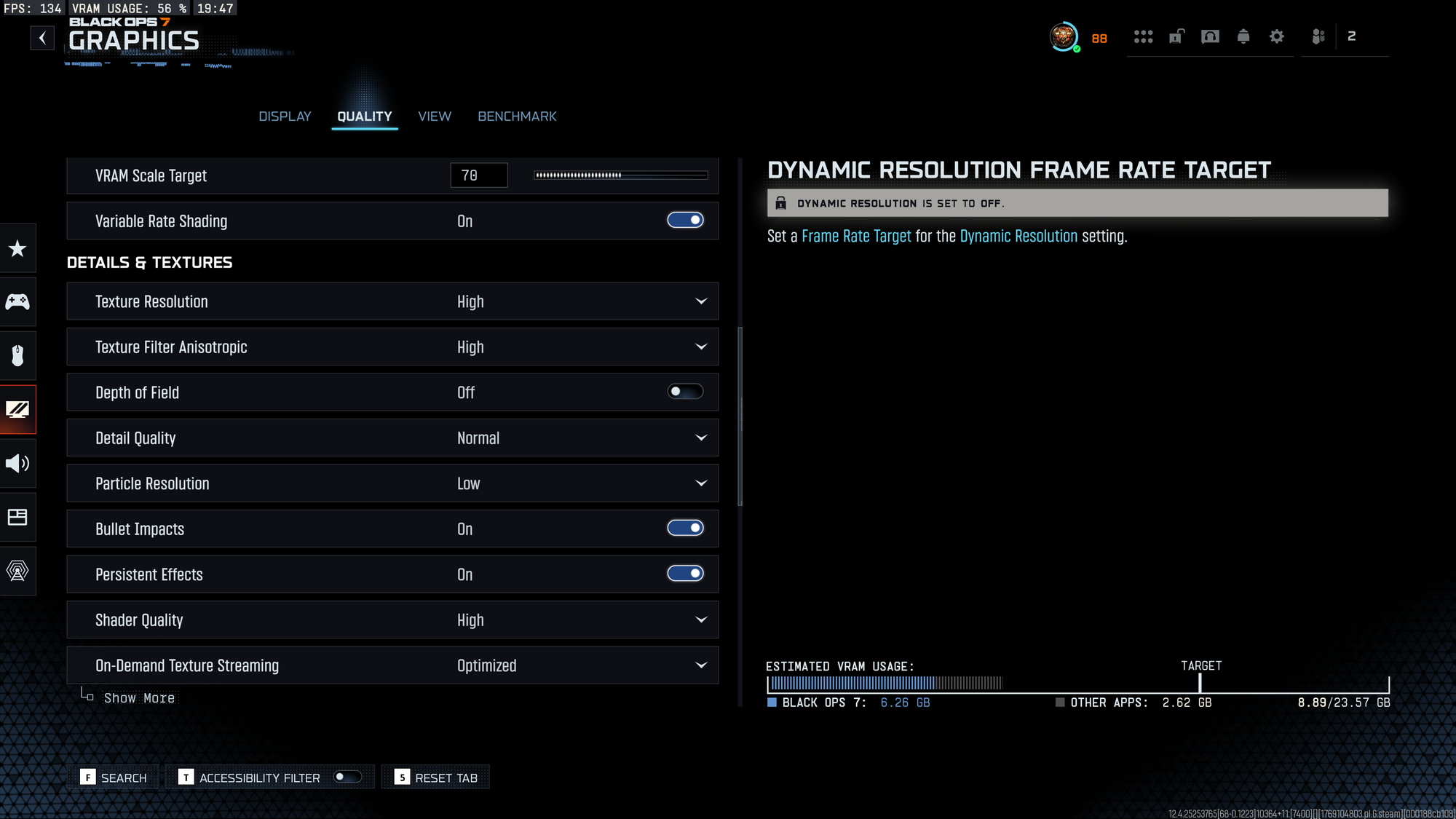
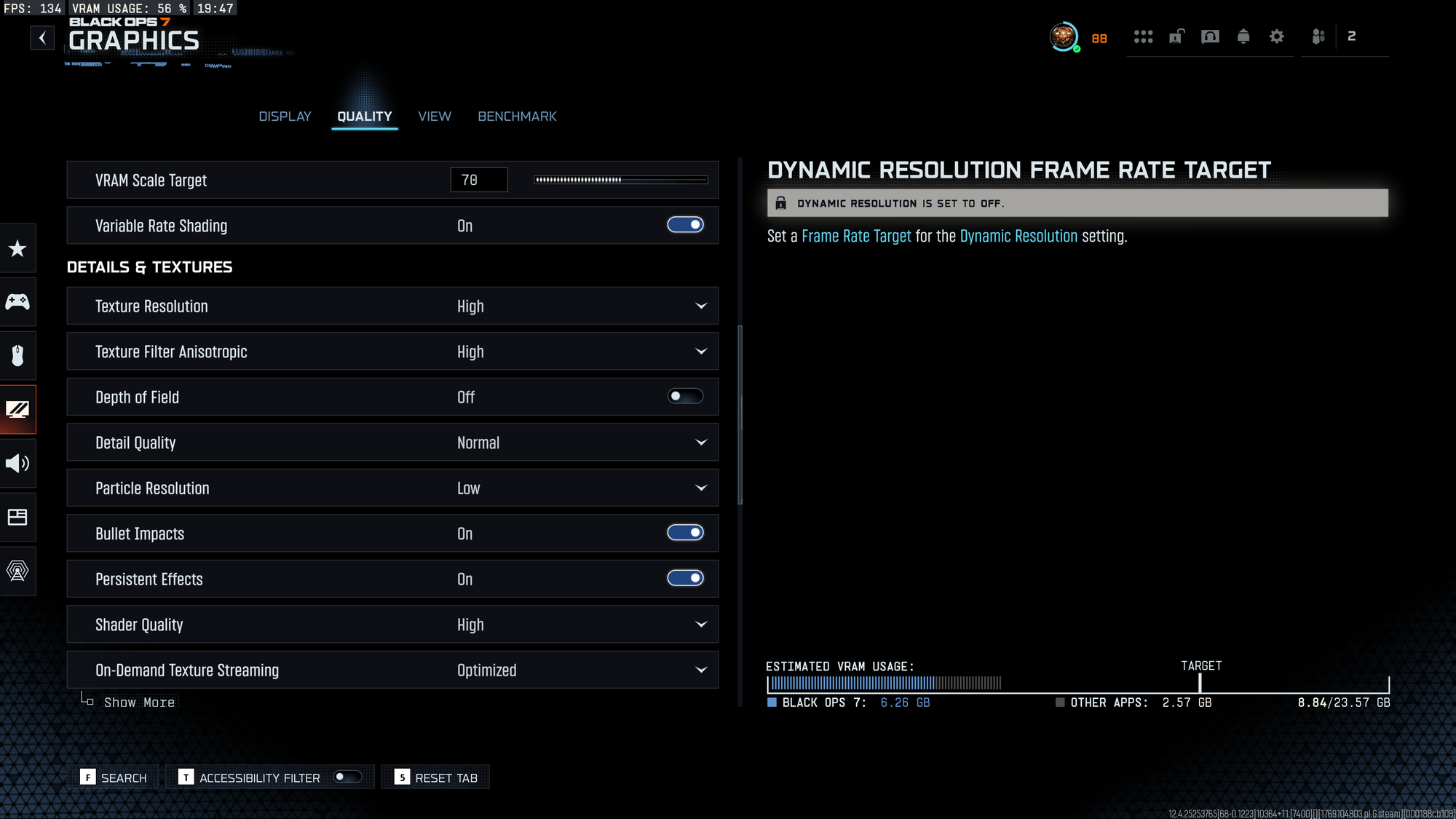
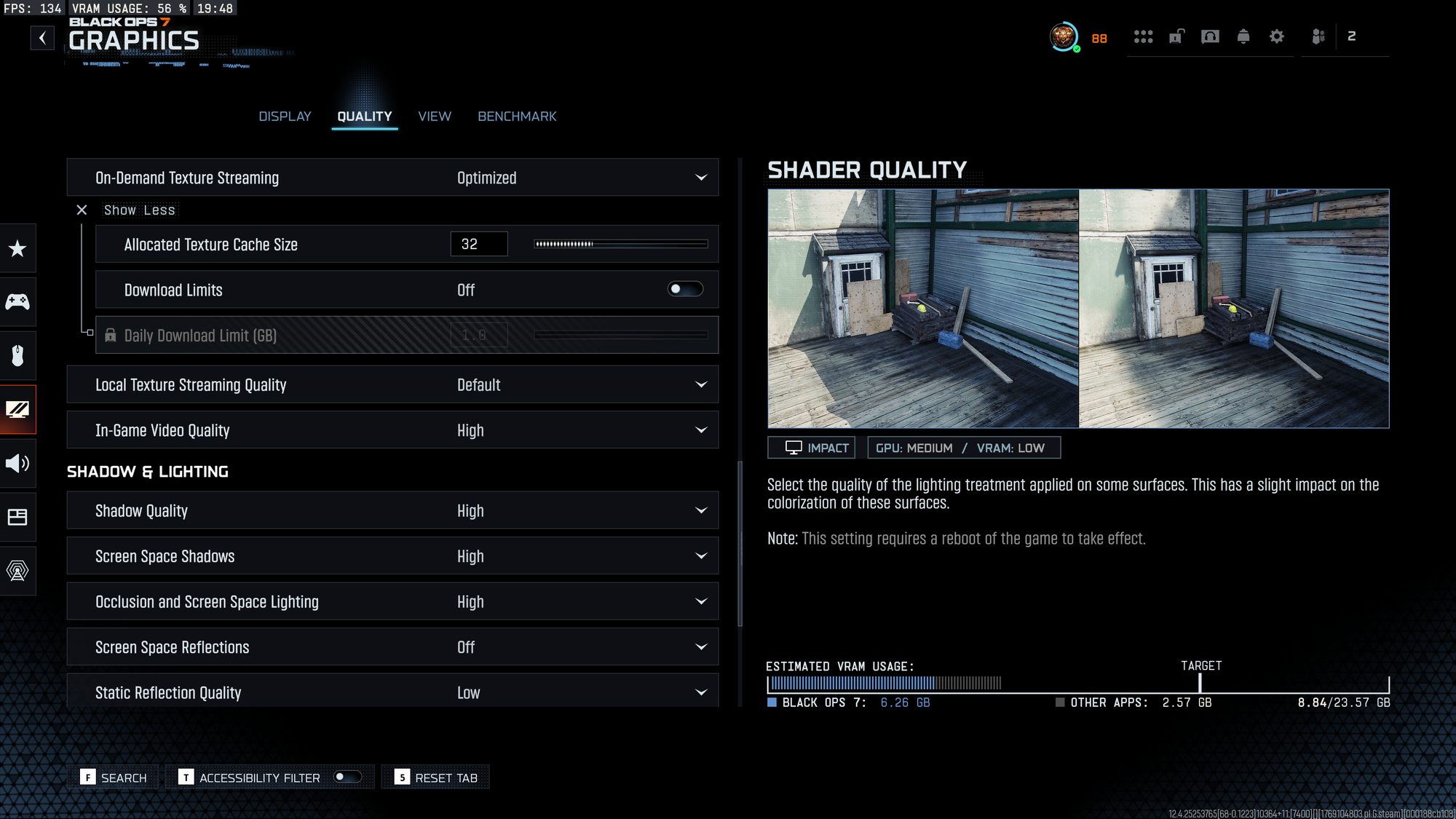
I'll certainly refresh that as I'm currently testing NVIDIA DLSS 4.5 instead of fidelityfxcas.
Out-game settings
As a PC player you have tons of choices out there to help you level-up your game and it will all come down to a budget "and" preferences, but here are a few things regarding my own personal choices :
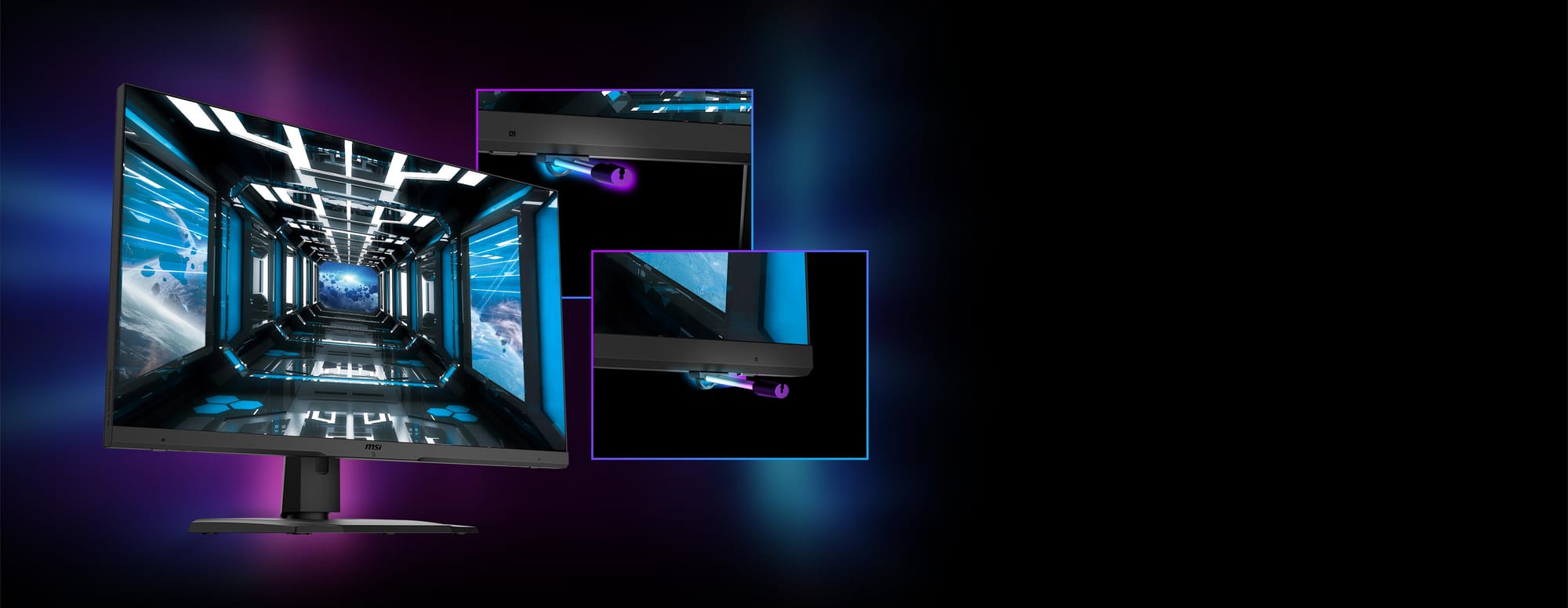
- Monitor :
- I tried the most recent OLED monitors by purchasing an Asus ROG Strix OLED XG32UCWMG. This monitor has like a perfect check-list, as for example you can switch from 4K @240Hz to 1080p @480Hz, and all that with a super low GTC latency of 0,03 ms. But I sent it back to my reseller as I prefer my current MSI OPTIX MPG321UR QD with its IPS panel!
The Asus is a fantastic monitor for games and TV shows, but...not for FPS-type games in my opinion. The contrast is incredible (the true black is amazing) but it is actually too much for a game like call of (I spent hours tuning it, played w/ the contrast, brightness, image modes, shadow boost etc etc...), and the "glossy" panel may be annoying depending on your lighting setup. Bottom line, I had more difficulties quickly spotting ennemies compared to my current IPS.
- I tried the most recent OLED monitors by purchasing an Asus ROG Strix OLED XG32UCWMG. This monitor has like a perfect check-list, as for example you can switch from 4K @240Hz to 1080p @480Hz, and all that with a super low GTC latency of 0,03 ms. But I sent it back to my reseller as I prefer my current MSI OPTIX MPG321UR QD with its IPS panel!
- Sound :
- I tried like every single setup that Creative (Sound Blaster) has to offer (X5, GC7 etc..) as they advertise their 'scout' mode or the 'super xfi' to help you on the footsteps locations or better understand what's going on (and where) around you. Well, it's all trash. The surround mode is terrible and - unfortunately - the great ideas like the hardware shortcut on the GC7 or the EQ customizations are completely wasted by a software UI that is barely working. I always come back to the Sennheiser (or EPOS) GSX1000. Man...this thing has like the best surround you can get in video games (plugging a HD660S on it), this is a pity that the product was stopped (you can still find it "used" or some "new" ones still sold on the private market). I don't know about consoles, but for PC this is definitely my "go to" to clear the noise from the game and hear what matters the most. There's no need for a software here, everything is embedded in the device (see my second pic below for the setup I currently have).
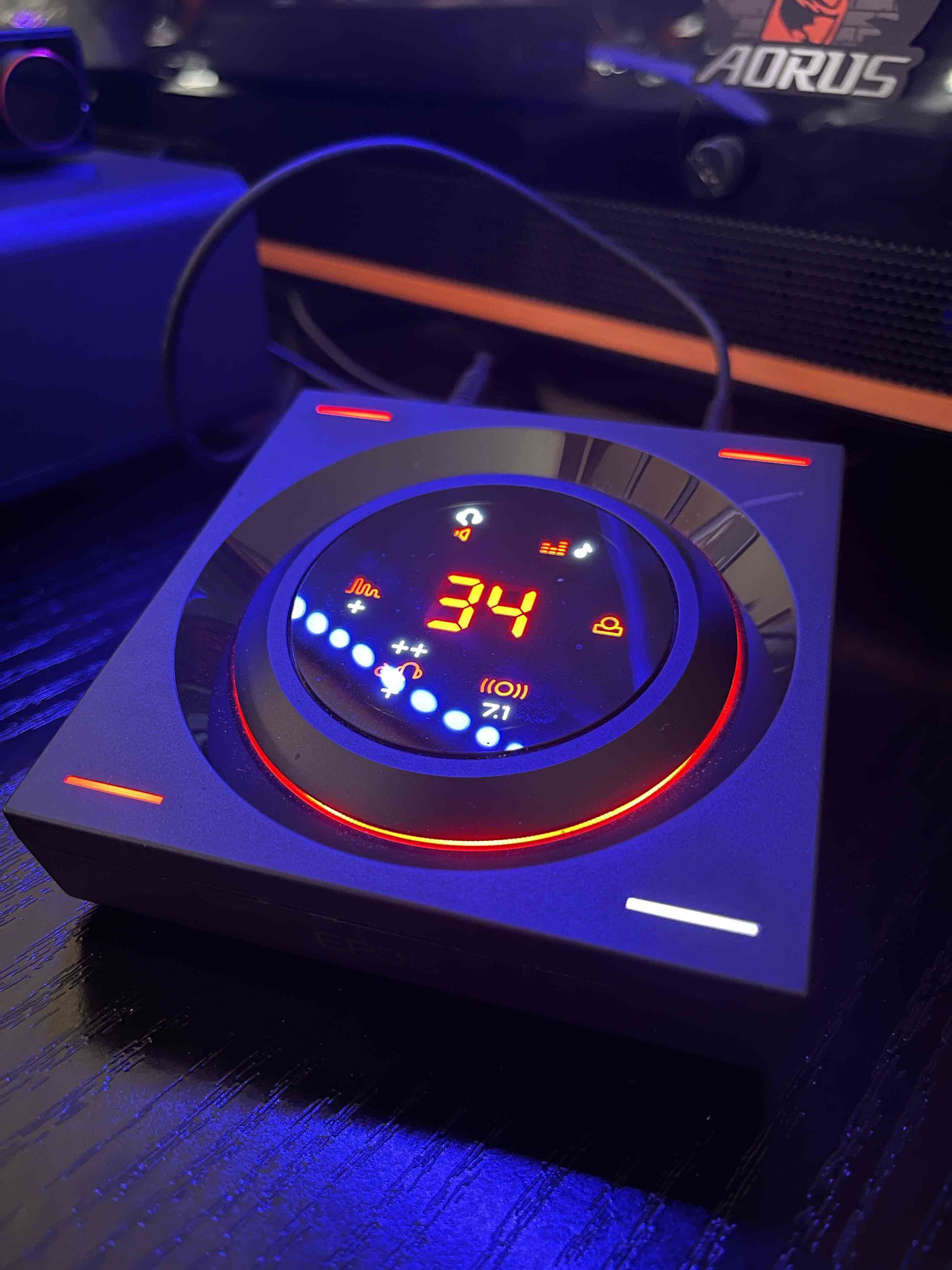
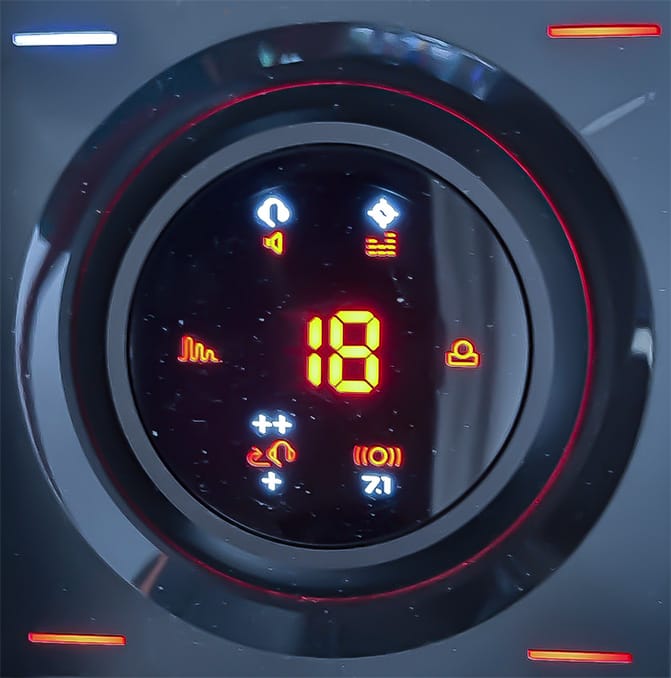
- Mouse & Keyboard (not playing with a controller here) :
- For the keyboard I went from Logitech to Corsair (K100 RGB) to Steelseries. So I'm currently playing on the Steelseries Apex Pro Gen 3, it's ultra-reactive, never had any ghosting (same w/ Corsair) and you can fine tune the key tap with its "Rapid Trigger" functionality.
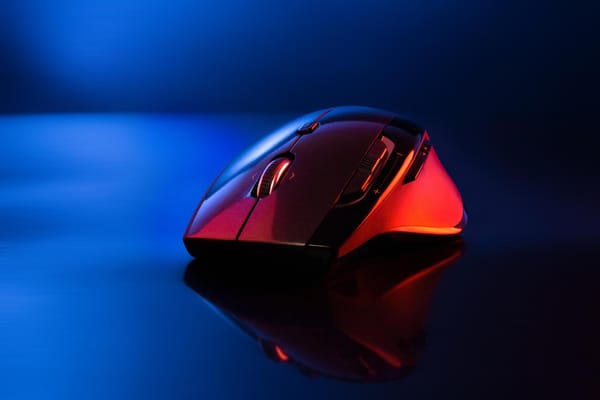
- Mouse : I'm using the G502 x, lighter than the standard G502 and very convenient to use on the shortcuts :
- main thumb button -> slide
- secondary thumb button -> sprint
- rear thumb -> melee
- mid -> nade
- top left -> stim shot
- ...and that's it, you don't need more really. I used to have the "mount" as well on the push-mid, but this was creating more issues than helping.

3. Game Awareness — The Real "Wallhack"
I still get accused of cheating in public lobbies because I seem to know where enemies are before they appear. Truth is, it's all learned awareness — no hacks required.
Here’s how to develop it:
a) Master the maps : Spend time in private matches exploring every corner, shortcut, head glitch, and spawn point. Knowing the layout lets you predict enemy routes and set up perfect flanks.
b) Treat the mini-map like your rear-view mirror : Glance at it constantly. Enemies show up when they fire unsilenced weapons or when UAVs/pulses are active. Too many players tunnel-vision straight ahead and ignore free intel right on their screen.
c) Audio and death indicators are gold: As you climb ranks, more players run silencer + Ghost (or equivalent), so they stay off the map. Listen for footsteps, gunfire direction, and explosions. Also watch for teammate death skulls — they reveal enemy positions. The sneakiest players stack Ninja (quiet steps) and Recon (no death skulls), making them ghosts... but even they make noise sliding or sprinting if you're paying attention.
d) Never stop moving after a kill: Beginners often pause — that's a death sentence. The moment you down someone, you've broadcast your position (gunfire, death skull, or their teammate on comms). Relocate immediately. Experienced players rarely die twice in the same spot. Bonus: Camping enemies become easy picks — they hand you their location on a platter.
e) "Remember : switching to your pistol is always faster than reloading": Gaz said it best in MW2, and it's still true today. If you're low on ammo mid-fight and the next enemy is rushing, swapping to secondary beats finishing a reload animation. It’s saved me countless times, see it in action in this short clip I pulled from yesterday :
Practice this religiously against bots — it’s often the difference between a 1.0 K/D and a 2.0+.
Quick note on that, the "K/D" : without context, it doesn't mean sh...If this is the only number that matters to you, then go play objective modes on very small maps. And both your SPM and K/D can get super high values : does that make you a good player overall ? not at all. I'd rather embark anyday a 1.5 versatile player who plays all kind of modes or even standard TDM but on all maps, rather than a nuketown freak.
Bonus Veteran Tips — The Extra Edge
Here are a few more pieces of wisdom I've collected over two decades:
- Centering and pre-aiming. Keep your crosshair slightly below head level at all times and pre-aim common angles as you move. It turns potential 50/50 gunfights into free kills.
- Warm up properly. Before jumping into ranked or pubs, run a few bot matches or aim trainer sessions. Cold aim is trash aim.
- Embrace omnimovement. Practice chaining slides, dives, and tactical sprints in every direction. It makes you much harder to track.
- Review your own gameplay. Watch your deaths in theater mode (or record clips). You'll spot patterns and bad habits faster than any coach could tell you.
CoD is brutal, especially as you get older and reaction time isn't what it used to be. But smart play, awareness (most important point in my opinion), and consistency beat raw twitch reflexes every time. I've out-slayed kids half my age following this, not just a sprint-and-pray fest. Implement these habits gradually. You'll see your K/D climb, your win rate improve (although this one also greatly depends on your game modes and mates with you), and — most importantly — you'll have more fun ! Drop a comment if you try any of these, or share your own veteran tips ! See you in the lobbies.